Table of Contents
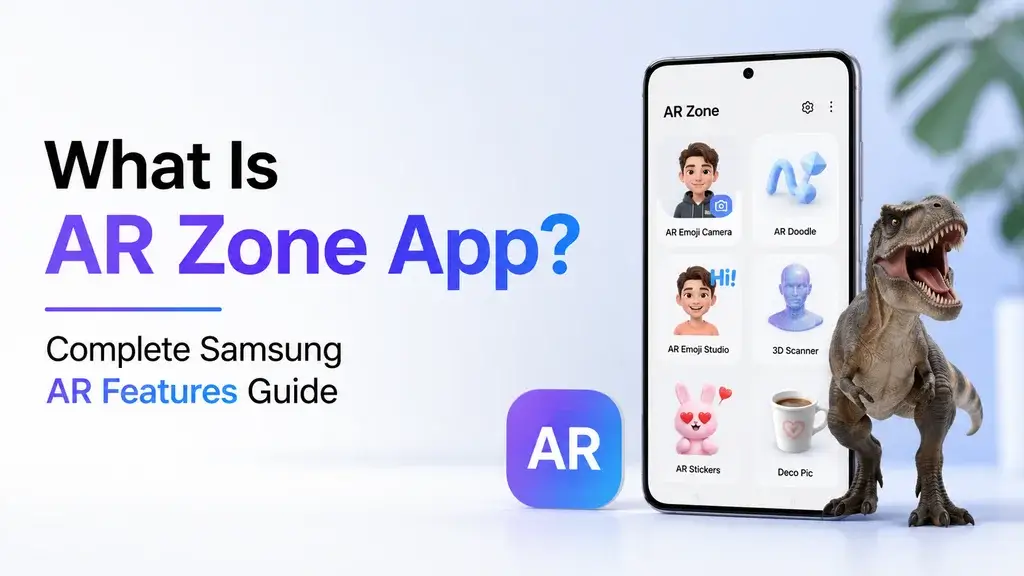
What Is AR Zone App? Unlock Samsung’s AR Features
Augmented Reality (AR) has become one of the most exciting technologies available on modern smartphones. From interactive filters and animated emojis to virtual drawings and 3D objects, AR allows users to blend digital content with the real world. Samsung has embraced this technology by introducing the AR Zone App, a built-in application available on many Galaxy devices.
If you’ve recently noticed the AR Zone App on your Samsung phone, you may be wondering whether it’s useful, safe, or simply another app taking up storage space. Many users search for what is AR Zone, what is AR Zone App, or even what is AR Doodle App because they’re unsure about its purpose.
The good news is that the app is designed to enhance your smartphone experience. Whether you enjoy creating fun content, using your camera creatively, or exploring augmented reality, AR Zone offers several tools in one place.
In this guide, you’ll learn everything you need to know about the AR Zone App, including its features, benefits, compatibility, privacy, and whether you should keep or remove it from your device.
What Is AR Zone App?
The AR Zone App is Samsung’s augmented reality platform that combines multiple AR-powered camera tools into a single application. It allows users to create interactive photos, videos, emojis, stickers, and virtual drawings using their smartphone camera.
Instead of downloading separate AR applications, Samsung includes these tools inside AR Zone, making them easily accessible from the Camera app or the Apps menu.
If you’re asking what is AR Zone App, the simplest answer is:
AR Zone is Samsung’s built-in augmented reality application that lets users create, customize, and interact with digital content in the real world using their phone’s camera.
It uses your device’s camera, motion sensors, and artificial intelligence to recognize faces, objects, and surfaces, allowing digital effects to appear naturally within your surroundings.
Unlike traditional photo filters, AR Zone creates interactive experiences that respond to movement and positioning in real time.
What Is AR Zone?
Many people search what is AR Zone because they see the app after updating their Samsung phone.
AR Zone isn’t a single feature. Instead, it’s a collection of several augmented reality tools grouped into one application.
These tools include:
- AR Emoji
- AR Emoji Studio
- AR Doodle
- Quick Measure (supported devices)
- Deco Pic
- Picture Link
- Home Decor (on supported models)
Rather than switching between multiple applications, users can access these experiences from one central location.
Samsung introduced AR Zone to make augmented reality more accessible for everyday smartphone users.
How Does the AR Zone App Work?
The AR Zone App combines several hardware and software technologies to create realistic augmented reality experiences.
When you open the app, your Samsung phone uses:
- Camera sensors
- Motion tracking
- Depth detection
- Facial recognition
- Machine learning
- Image processing
These technologies analyze your environment in real time.
For example, if you’re using AR Doodle, the app tracks your movements so the digital drawings stay attached to a person or object instead of floating randomly around the screen.
Similarly, AR Emoji scans facial features to generate a personalized animated avatar that mimics your expressions.
Everything happens almost instantly, making the experience smooth and interactive.
Why Samsung Introduced AR Zone
Samsung has invested heavily in smartphone innovation over the past decade. As augmented reality became more popular, the company wanted to provide users with creative camera tools without requiring additional downloads.
Instead of offering separate applications for each AR feature, Samsung combined them into one platform called AR Zone.
This approach provides several advantages:
- Easier navigation
- Better integration with the Camera app
- Improved software updates
- Consistent user experience
- Simplified feature management
The result is an application that makes augmented reality available to both beginners and experienced users.
Main Features of AR Zone App
The AR Zone App offers several creative tools that enhance photography, video recording, and communication.
Let’s explore each feature.
AR Emoji
AR Emoji lets users create a digital version of themselves.
After scanning your face, the app generates a customizable avatar that can be personalized with:
- Hairstyles
- Clothing
- Glasses
- Accessories
- Facial expressions
- Skin tones
These avatars can be used in:
- Messages
- Social media
- Videos
- GIFs
- Stickers
AR Emoji is one of Samsung’s most popular augmented reality features because it adds a fun and personalized touch to everyday conversations.
AR Emoji Studio
AR Emoji Studio expands on the basic emoji feature.
Instead of using preset options, users can fully customize their digital characters.
You can:
- Edit existing avatars
- Create new outfits
- Design animated stickers
- Save custom expressions
- Share personalized emojis
This feature is especially useful for users who enjoy creating unique digital content.
Also Read: Cloud Computing Essentials Unlock Benefits
What Is AR Doodle App?
Another common question is what is AR Doodle App.
AR Doodle is one of the creative tools inside the AR Zone App.
It allows users to draw virtual artwork directly onto live camera footage.
Unlike ordinary drawing applications, AR Doodle anchors drawings to real-world objects or people.
For example, you can:
- Draw a virtual crown above someone’s head.
- Add animated stars around a moving object.
- Create floating text in a video.
- Sketch fun effects during recording.
- Add artistic elements that move naturally with the subject.
Because the drawings remain attached to tracked objects, videos appear far more interactive than traditional edits.
AR Doodle has become popular among content creators looking to produce engaging short-form videos for social media platforms.
Deco Pic
Deco Pic lets users decorate photos and videos with animated AR stickers.
Popular options include:
- Cartoon characters
- Funny hats
- Glasses
- Masks
- Seasonal decorations
- Speech bubbles
- Animated effects
These effects respond naturally to facial movements, making selfies more entertaining.
Quick Measure
On supported Samsung devices equipped with advanced depth sensors, Quick Measure allows users to estimate the dimensions of real-world objects.
You can measure:
- Furniture
- Boxes
- Tables
- Doors
- Room dimensions
Although not as precise as professional measuring tools, it’s useful for everyday tasks such as shopping or home planning.
Picture Link
Picture Link creates a digital connection between printed photos and online content.
After scanning a compatible image, users can access related videos, websites, or additional media.
Although this feature isn’t available on every Samsung device, it demonstrates how augmented reality can bridge physical and digital experiences.
Which Samsung Phones Support AR Zone?
Not every Galaxy device includes the same AR capabilities.
Generally, the AR Zone App is available on:
Galaxy S Series
- Galaxy S21
- Galaxy S22
- Galaxy S23
- Galaxy S24
- Newer flagship models
Galaxy Note Series
Most recent Galaxy Note devices include AR Zone support.
Galaxy Z Series
- Galaxy Z Fold
- Galaxy Z Flip
Selected Galaxy A Series
Some mid-range Galaxy A models also support AR Zone, although available features may vary depending on hardware.
Samsung continues expanding AR compatibility through software updates, so newer devices typically provide the best experience.
Benefits of Using the AR Zone App
Many users overlook the value of built-in applications. However, the AR Zone App offers several practical and creative advantages.
1. Creative Photography
AR effects help users produce unique photos and videos without installing third-party editing software.
2. Personalized Communication
AR Emoji and animated stickers make conversations more expressive and engaging.
3. Educational Possibilities
Augmented reality can help students visualize concepts, explore 3D models, and interact with digital objects in new ways. While the AR Zone App is primarily designed for entertainment, it also demonstrates how AR technology can support learning experiences.
4. Content Creation
Creators on social media platforms can use AR effects to make videos more eye-catching and interactive, helping their content stand out.
5. A Glimpse into the Future of Productivity Apps
Although the AR Zone App focuses mainly on creativity, it highlights how augmented reality is influencing the next generation of Productivity Apps. As AR technology evolves, we can expect more applications that combine real-world interaction with task management, collaboration, design, and education.
Is the AR Zone App Safe to Use?
One of the most common concerns among Samsung users is whether the AR Zone App is safe. Since the app uses your phone’s camera and, in some cases, facial recognition to create AR experiences, it’s understandable that users want to know how their information is handled.
The good news is that AR Zone is a pre-installed Samsung application developed specifically for Galaxy devices. It is part of Samsung’s software ecosystem and is designed to work with your phone’s camera features.
Like many camera-based applications, AR Zone requests permissions such as:
- Camera access
- Storage access
- Microphone access (for video recording)
These permissions are necessary for creating AR photos, videos, and animated content. You can review or change these permissions at any time by visiting Settings > Apps > AR Zone > Permissions.
For the best security, keep your Samsung device updated with the latest software updates and download apps only from trusted sources like the Galaxy Store or Google Play Store.
Can You Remove the AR Zone App?
Many users discover the app after a software update and immediately ask whether it can be removed.
The answer depends on your Samsung device and software version.
Can You Uninstall AR Zone?
On many Galaxy smartphones, AR Zone is a system application, meaning it cannot be completely uninstalled without modifying the device.
However, on some newer models, Samsung allows users to uninstall certain AR features or disable the application if they don’t plan to use it.
How to Disable AR Zone
If uninstalling isn’t available, you may be able to disable the app.
Follow these steps:
- Open Settings.
- Tap Apps.
- Find AR Zone App.
- Tap Disable (if available).
Disabling the app prevents it from running in the background and removes it from your app drawer on supported devices.
Will Removing AR Zone Affect My Phone?
For most users, removing or disabling the AR Zone App won’t affect basic smartphone functions such as:
- Phone calls
- Messages
- Internet browsing
- Camera performance
- Samsung One UI
However, you will lose access to features like:
- AR Emoji
- AR Doodle
- Deco Pic
- Other augmented reality tools
If you enjoy creating interactive photos or videos, it’s worth keeping the app installed.
Common AR Zone App Problems and Solutions
Although the app generally works well, users may occasionally experience issues. Here are some common problems and practical solutions.
AR Zone App Keeps Crashing
If the app crashes repeatedly:
- Restart your phone.
- Update the app through the Galaxy Store.
- Install the latest Samsung software update.
- Clear the app cache.
- Restart the device again.
AR Features Are Missing
Some AR tools depend on your phone’s hardware.
If features such as Quick Measure or certain camera effects aren’t available:
- Verify that your Galaxy model supports them.
- Update your device software.
- Check whether Samsung has removed or replaced the feature in a recent update.
Camera Isn’t Working Properly
If AR Zone cannot access the camera:
- Confirm camera permissions are enabled.
- Close other camera applications.
- Restart the device.
- Reset app permissions if necessary.
AR Emoji Won’t Scan My Face
To improve facial scanning:
- Use good lighting.
- Remove sunglasses or face coverings.
- Hold the phone at eye level.
- Keep your face within the on-screen guide.
These simple adjustments often improve recognition accuracy.
AR Zone App vs Other Augmented Reality Apps
Samsung isn’t the only company offering augmented reality experiences. Several other platforms provide similar technologies, but each has a different focus.
| Feature | AR Zone App | Google ARCore | Snapchat AR | Apple ARKit |
|---|---|---|---|---|
| Built into Samsung devices | ✔ | ✖ | ✖ | Apple only |
| AR Emoji | ✔ | ✖ | Limited | Limited |
| AR Doodle | ✔ | ✖ | ✖ | ✖ |
| Face Filters | ✔ | ✔ | ✔ | ✔ |
| Developer Platform | Limited | ✔ | Limited | ✔ |
| 3D Object Support | ✔ | ✔ | Limited | ✔ |
The AR Zone App is designed primarily for everyday Samsung users who want creative camera features without installing additional software.
AR Zone App for Content Creators
Short-form video platforms have increased demand for creative editing tools. The AR Zone App offers built-in features that help users produce engaging content directly from their Galaxy devices.
Content creators can use it to:
- Record interactive selfies.
- Add animated stickers.
- Create custom AR Emoji.
- Enhance videos with AR Doodle.
- Produce unique social media posts.
Since these tools are integrated into Samsung’s camera experience, they reduce the need for separate editing applications.
How AR Technology Is Changing Productivity Apps
Although many people associate augmented reality with entertainment, its future extends far beyond creative effects.
Modern Productivity Apps are beginning to use AR to improve the way people work, learn, and collaborate.
Examples include:
Remote Collaboration
Teams can visualize 3D models during virtual meetings, making design reviews and planning sessions more interactive.
Interior Design
AR allows users to preview furniture and décor in real spaces before making purchasing decisions.
Education
Students can explore virtual scientific models, historical landmarks, or engineering concepts through immersive experiences.
Maintenance and Training
Technicians can receive step-by-step visual instructions overlaid on equipment, reducing errors and improving efficiency.
As augmented reality evolves, we can expect Productivity Apps to incorporate more interactive features that simplify complex tasks and enhance user experiences.
Tips for Getting the Most Out of the AR Zone App
To enjoy the best experience with the AR Zone App, keep these tips in mind:
- Keep your Samsung software updated.
- Use the app in well-lit environments.
- Experiment with different AR Emoji styles.
- Explore all available camera effects.
- Regularly clear unused media to save storage.
- Check for new AR features after major One UI updates.
- Protect your privacy by reviewing app permissions.
These habits help ensure smooth performance while making the most of Samsung’s augmented reality tools.
The Future of AR Zone and Augmented Reality
Augmented reality continues to evolve, and Samsung is expected to expand AR capabilities in future Galaxy devices.
Potential developments include:
- More realistic AR avatars.
- Improved object recognition.
- Better environmental tracking.
- AI-assisted content creation.
- Enhanced shopping experiences.
- Educational AR tools.
- Business collaboration features.
- Integration with wearable devices and smart glasses.
As hardware becomes more powerful, augmented reality will likely play a larger role in everyday mobile experiences.
Understanding what is AR Zone today provides insight into how smartphones may evolve in the coming years.
Conclusion
The AR Zone App is much more than another pre-installed Samsung application. It brings together several augmented reality tools that allow users to create personalized emojis, decorate photos, draw virtual objects, and explore interactive camera experiences from one convenient location.
If you’ve been searching for what is AR Zone App, the answer is simple: it’s Samsung’s built-in augmented reality platform designed to make photography, communication, and creative content more engaging.
Similarly, if you were wondering what is AR Doodle App, it’s one of the standout features inside AR Zone that lets users create virtual drawings that stay attached to people or objects in real time.
While not every Galaxy owner will use these features every day, AR Zone showcases how augmented reality is becoming a standard part of the smartphone experience. Beyond entertainment, the technology behind AR is influencing education, business, shopping, and the next generation of Productivity Apps.
Whether you’re a casual user exploring creative camera effects or someone interested in the future of mobile technology, the AR Zone App offers a practical introduction to augmented reality on Samsung devices.
Frequently Asked Questions
1. What is AR Zone App on Samsung?
The AR Zone App is Samsung’s built-in augmented reality platform that includes features such as AR Emoji, AR Doodle, Deco Pic, and other interactive camera tools.
2. What is AR Zone used for?
AR Zone is used to create augmented reality photos, videos, animated emojis, stickers, and virtual drawings using your Samsung smartphone’s camera.
3. What is AR Zone App, and do I need it?
If you enjoy creative photography, personalized emojis, or augmented reality effects, the app can be useful. If you never use these features, you may choose to disable it on supported devices.
4. What is AR Doodle App?
AR Doodle is a feature inside the AR Zone App that lets users draw virtual artwork on people or objects while recording videos.
5. Is the AR Zone App safe?
Yes. The AR Zone App is developed by Samsung and is generally safe to use. It requires camera and storage permissions to provide its augmented reality features.
6. Can I delete the AR Zone App?
Some Samsung devices allow you to disable or uninstall parts of AR Zone, while others keep it as a built-in system application.
7. Does AR Zone drain battery life?
Using camera-based AR features can consume more battery than standard apps because they rely on the camera, sensors, and graphics processing. When not in use, the app has minimal impact on battery life.
8. Which Samsung phones support AR Zone?
Most recent Galaxy S, Galaxy Z, and selected Galaxy A series devices include AR Zone, though available features may vary depending on the model and hardware.
9. Is AR Zone free?
Yes. The AR Zone App comes pre-installed on compatible Samsung devices and does not require an additional purchase.
10. Can AR Zone improve Productivity Apps?
While AR Zone itself focuses on creative experiences, the underlying augmented reality technology is influencing the future of Productivity Apps by enabling interactive learning, collaboration, visualization, and workplace innovation.